Online MP3 trimmer with multiple cuts — free, no upload
Remove multiple sections from your MP3, WAV, or FLAC file in one pass — ad breaks, mistakes, silence — all deleted in a single export. No software to download, nothing uploaded to any server. Free forever.
Cut multiple parts from audio — no re-uploading
Mark every section to remove in one session and export once. No repeating the process.
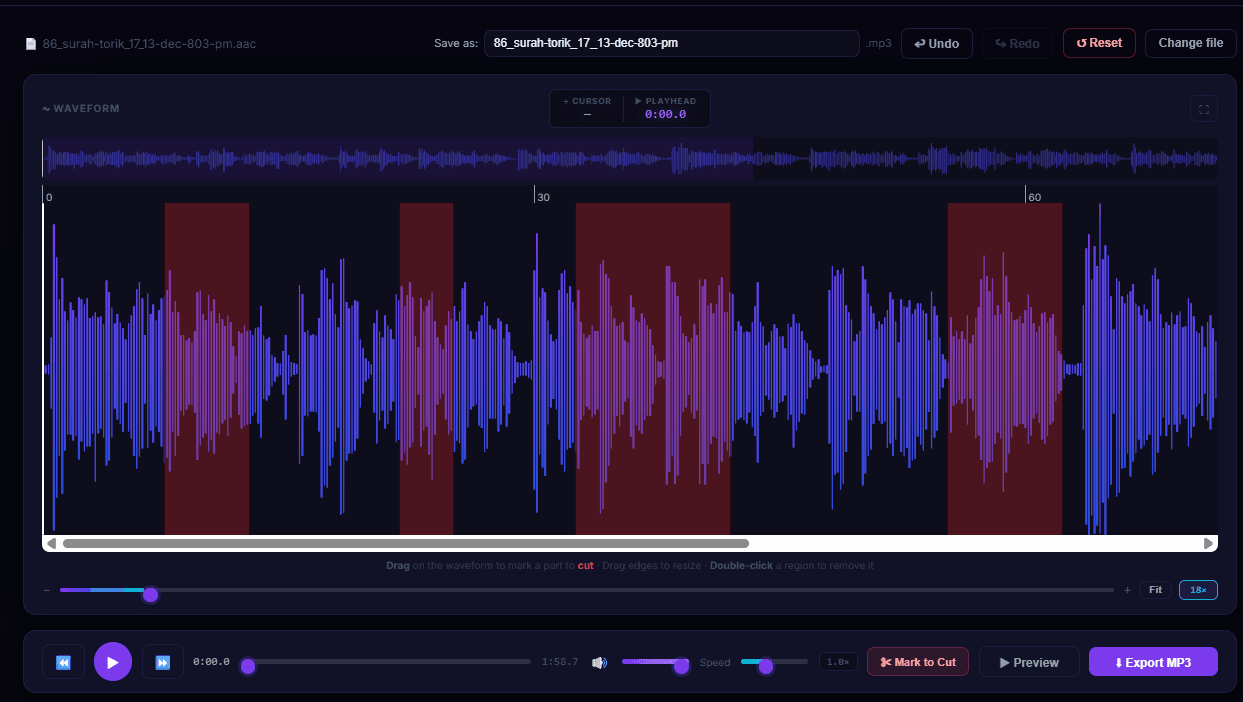
Visual waveform editor — drag to mark cuts, see everything in real time
Free audio trimmer — no upload, no software, multiple cuts
Most online trimmers are simple crop-and-download. MP3 Studio handles the real editing jobs.
Multiple cuts, one export
Mark every section to remove — ad breaks, mistakes, silence — and export once. No re-uploading between cuts. Most online trimmers limit you to one trim. We don't.
No upload, no software
Your audio file never touches a server. Everything runs in your browser using WebAssembly. No Audacity, no install, no account — just open the page and trim.
Millisecond precision zoom
Up to 2000× zoom on the waveform. Find the exact frame where a background noise or ad starts. Rare in any free online audio trimmer.
Preview before downloading
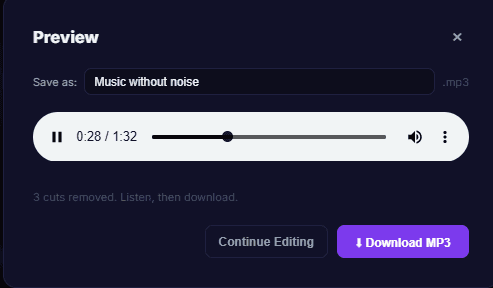
Hear the result of your cuts before you download anything. Know exactly what you'll get — no surprises, no wasted exports.
Delete any section, not just trim edges
Remove a section from the middle of your file, the beginning, the end — anywhere. Red regions get deleted; everything else is kept and joined.
Free forever, no file size limit
No trial, no watermark, no account needed. Works on MP3, WAV, FLAC, M4A, OGG files — no size cap because processing runs on your device.
Trim audio to millisecond precision — up to 2000× zoom
Find the exact frame where a sound starts or ends. Rare in any free online audio trimmer.
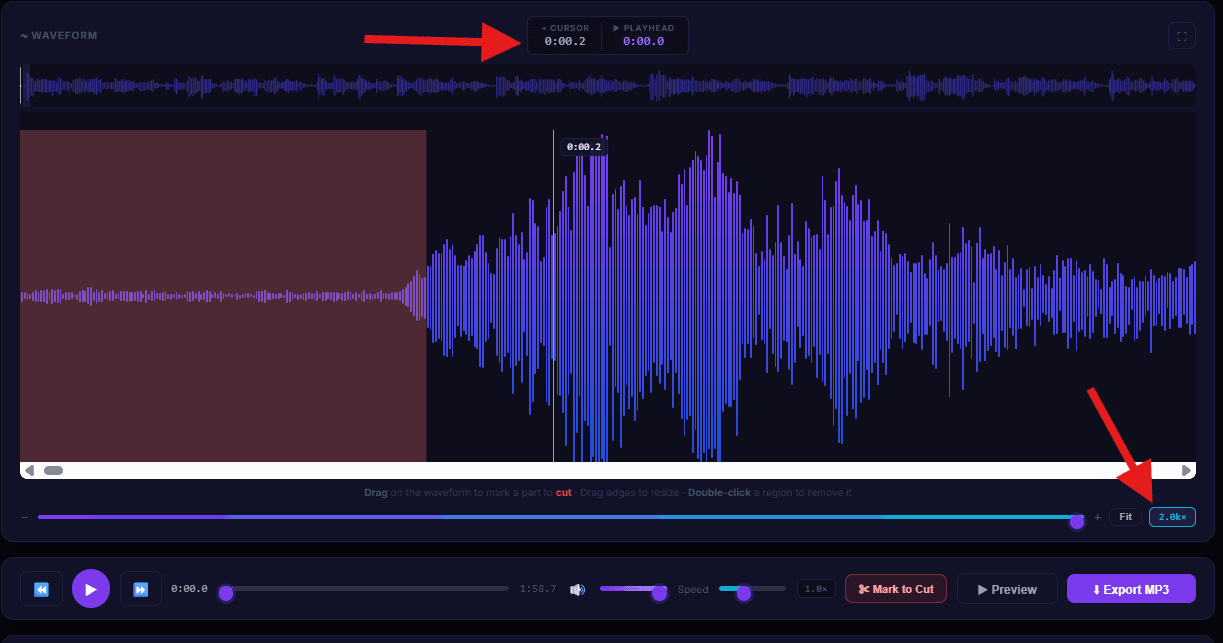
2000× zoom — the badge bottom-right shows the current zoom level
Preview before you download
Hear the final result first. No wasted downloads, no second-guessing.
How MP3 Studio compares to other free online trimmers
vs. typical audio cutters and mp3 trimmers
How to remove sections from audio online — 3 steps
Drop your audio file — any format
Drag and drop your MP3, WAV, FLAC, M4A, OGG or OPUS file. No upload to a server — it opens directly in your browser.
Mark every section to remove
Drag on the waveform to mark parts to delete. Add as many cut regions as you want. Zoom in up to 2000× for millisecond precision. Red = cut.
Preview the result, then export
Click Preview to hear your edited audio first. When it sounds right, click Export MP3. All cuts applied in one clean pass.
Frequently asked questions about online audio trimming
How do I cut multiple parts from an MP3 online for free?
Drop your file into MP3 Studio, drag on the waveform to mark every section to remove, then click Export. All cuts apply in one pass — no re-uploading, no repeating the process. It's free and runs entirely in your browser.
Is there a free audio trimmer that doesn't upload my file?
Yes. MP3 Studio processes everything locally in your browser using WebAssembly. Your audio never leaves your device and is never sent to any server.
How do I remove a section from the middle of an audio file?
Drag over the middle section on the waveform — it turns red. You can zoom in up to 2000× for precision. Click Export and the section is removed, leaving one seamlessly joined file.
How do I cut out an ad break from a podcast MP3?
Drop your podcast into MP3 Studio, find each ad break on the waveform, and drag to mark them red. If there are multiple ad breaks, mark all of them. One export removes everything at once. Free, no account.
Can I delete a WAV, FLAC or M4A file online free?
Yes. MP3 Studio accepts WAV, FLAC, M4A, AAC, OGG, OPUS and MP3. Remove any number of sections and export a clean MP3. No upload required.
What's the difference between this and Audacity?
Audacity is desktop software you download and install. MP3 Studio runs in your browser — no installation, no setup. Open the page, drop your file, mark cuts, export. Done in under a minute.
Is there a file size limit?
No. Processing runs on your device so there's no server-side cap. Files hundreds of MB in size work fine on a modern desktop browser.
Does it work on mobile?
The editor works best on desktop Chrome or Edge. Mobile works for basic edits but the precision zoom features are easier to use with a mouse.
Ready to cut multiple parts from your audio?
Free online MP3 trimmer — no upload, no software, no sign-up. Your files stay on your device.
Open Editor — Free →